Uninstalling Fusion Inventory
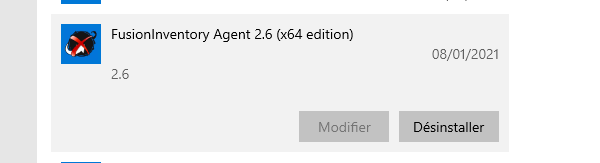
Right-click the Windows icon in the bottom left corner of your screen.
2/ Click on ‘Apps & Features’
3/ In the list, select Fusion Inventory Agent and click ‘Uninstall’
Installing GLPI Agent
Go to the shared drive (\\abelus.iamm.fr\commun) from the Institute's network or via VPN if you are at home
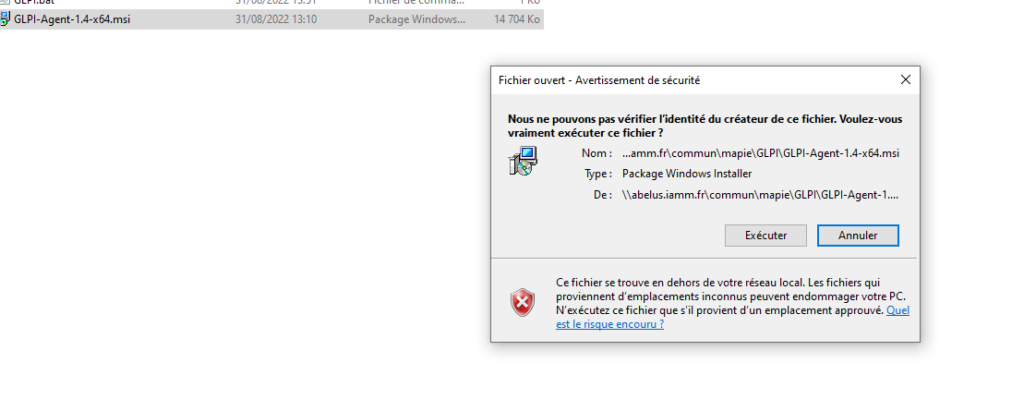
2/ Go to the ‘mapie’ folder, then ‘GLPI’, and run the GLPI-Agent-1.4-x64.msi file (you'll get a warning message to confirm by clicking ‘Run’).
3/ Follow the standard installation by clicking ‘Next’ several times until you reach this page. Check ‘Remote Targets’ and enter https://glpi.iamm.fr/front/inventory.php
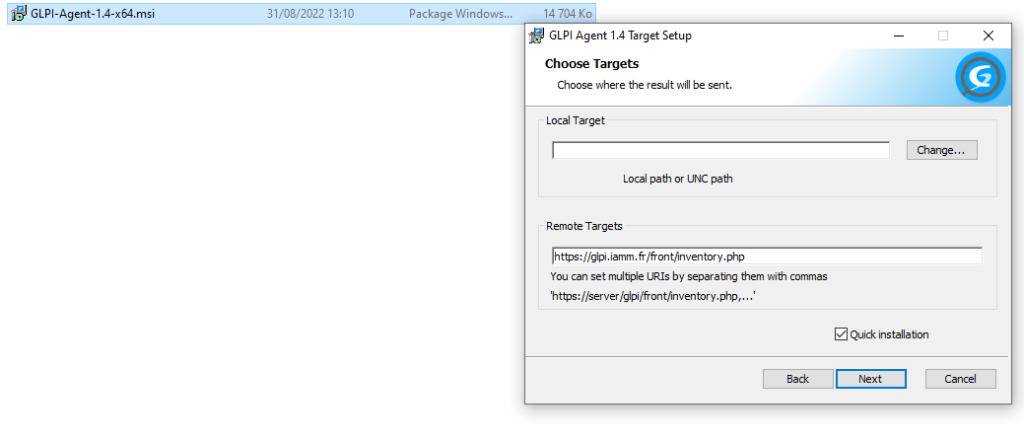
Validate by clicking ‘Next’ until the end of the installation
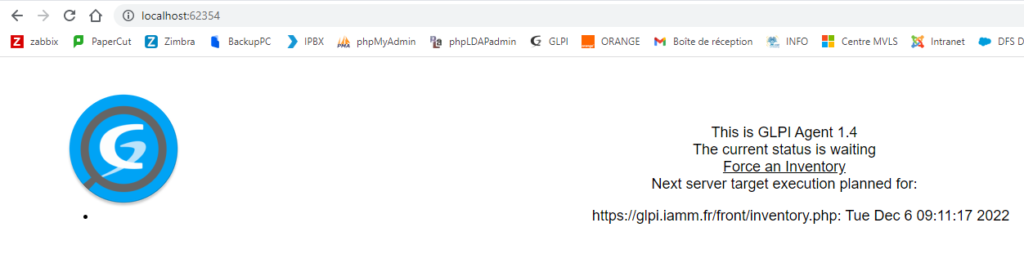
4/ To validate the installation: open a browser (Chrome or Firefox) and enter the following URL: http://localhost:62354. The following window should appear, and click on the ‘Force an inventory’ link.’